How it works
From setup to your first AI response, here's exactly what happens.
Real screenshots. Real steps. No developer needed. Most businesses are set up with a centralized review and response operation in 24-48 hours.
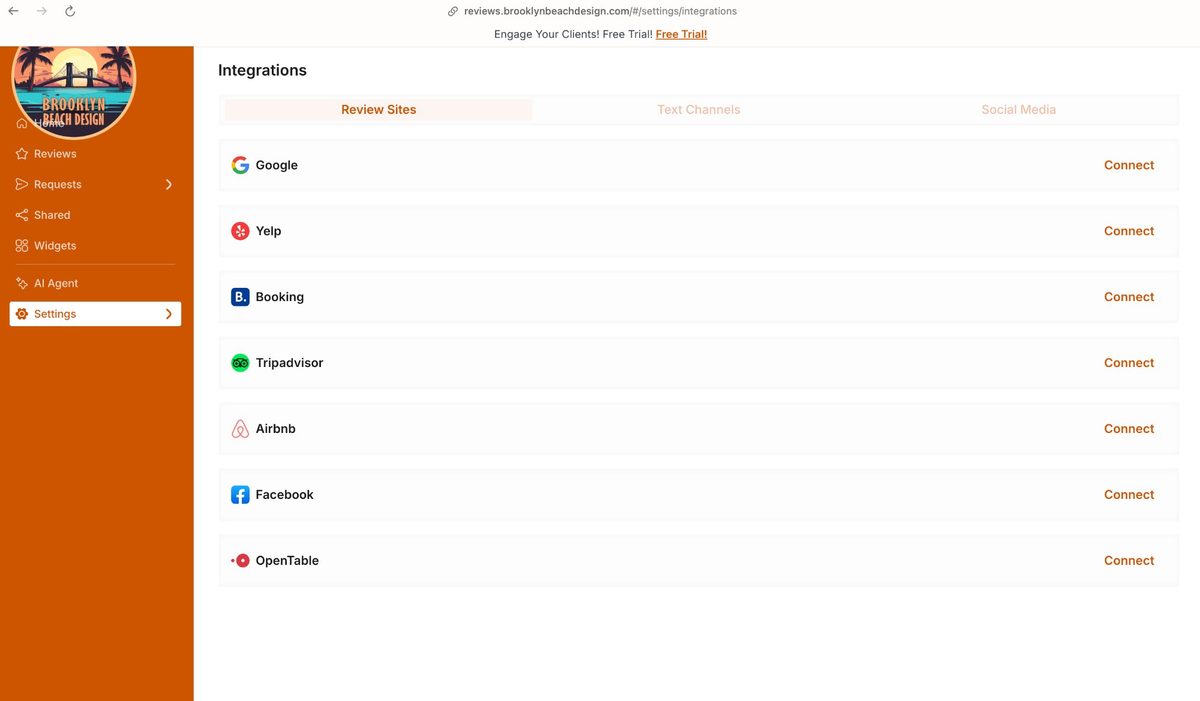
See Service Tiers Get Free ReportConnect your review platforms
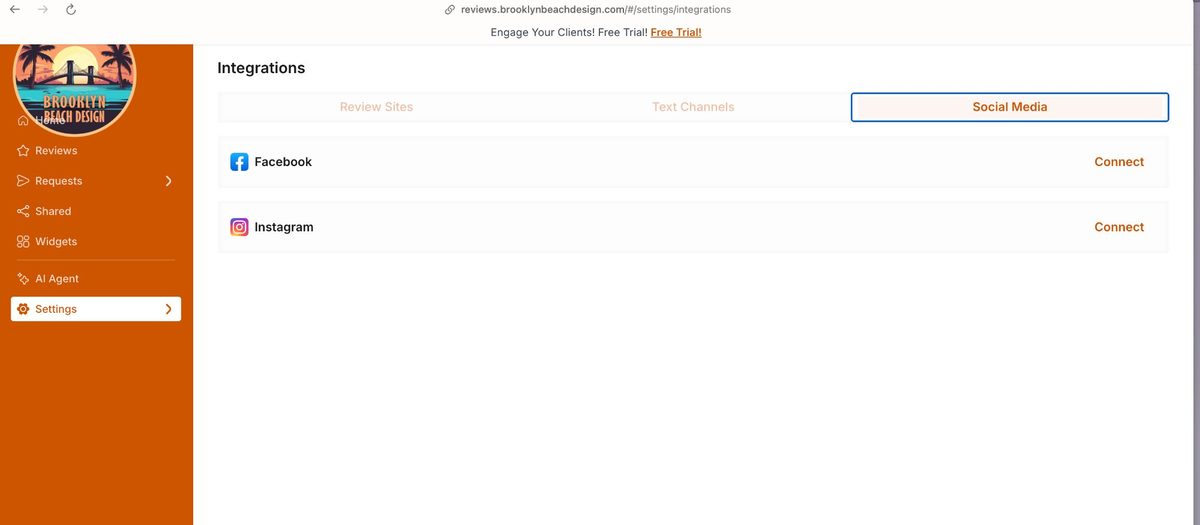
Connect your review platforms. The Foundation plan covers Google and Facebook. Growth expands to 6 platforms, adding Yelp, TripAdvisor, Airbnb, and BBB. Amplify unlocks 20+ platforms. Each one connects with a single click and your existing reviews import automatically.
- Foundation: Google & Facebook
- Growth: + Yelp, TripAdvisor, Airbnb & BBB (6 total)
- Amplify: 20+ platforms including Glassdoor, Indeed, Cars.com & more
- One click per platform — existing reviews import automatically
Set up your Review Link & download your QR code
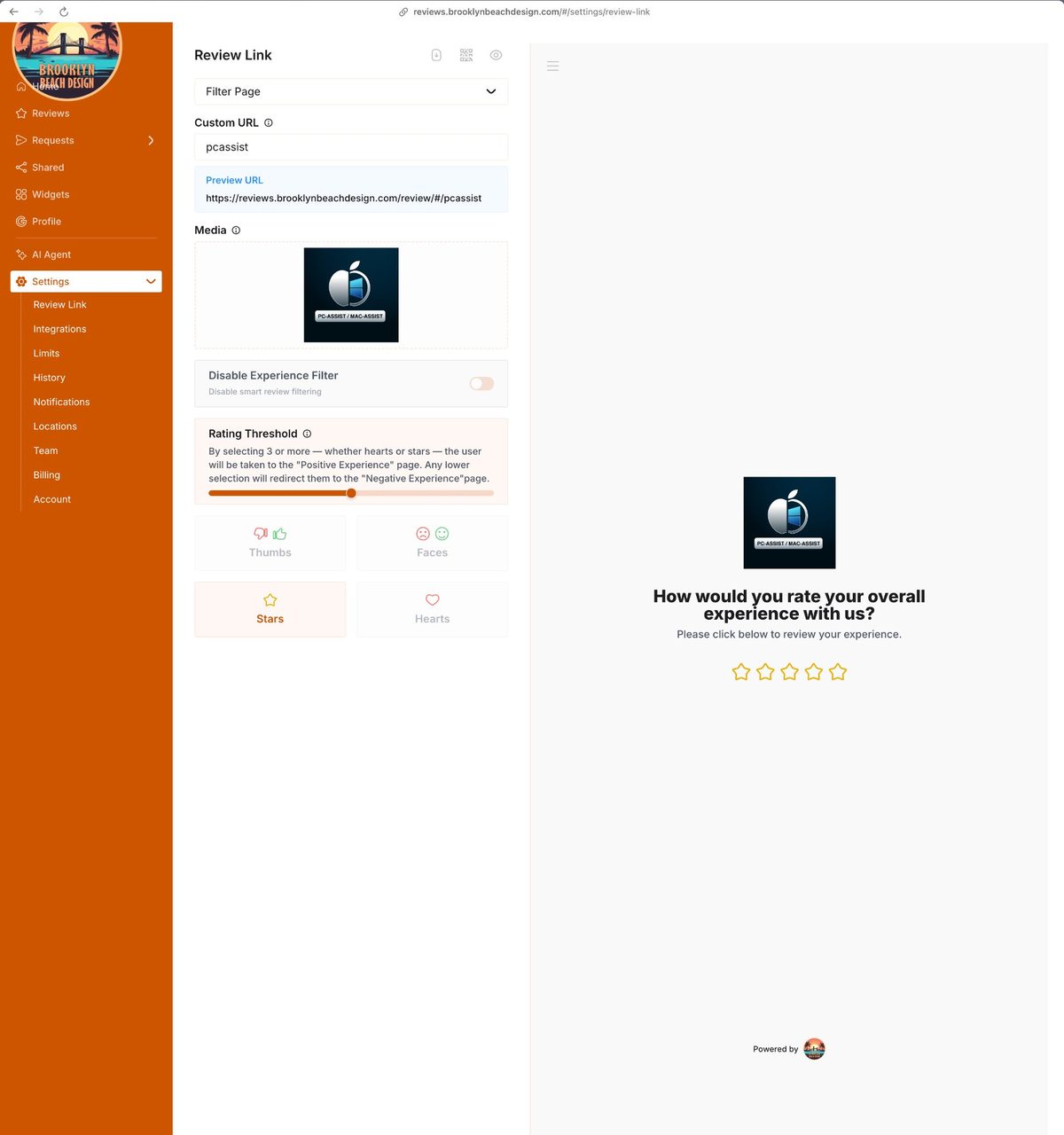
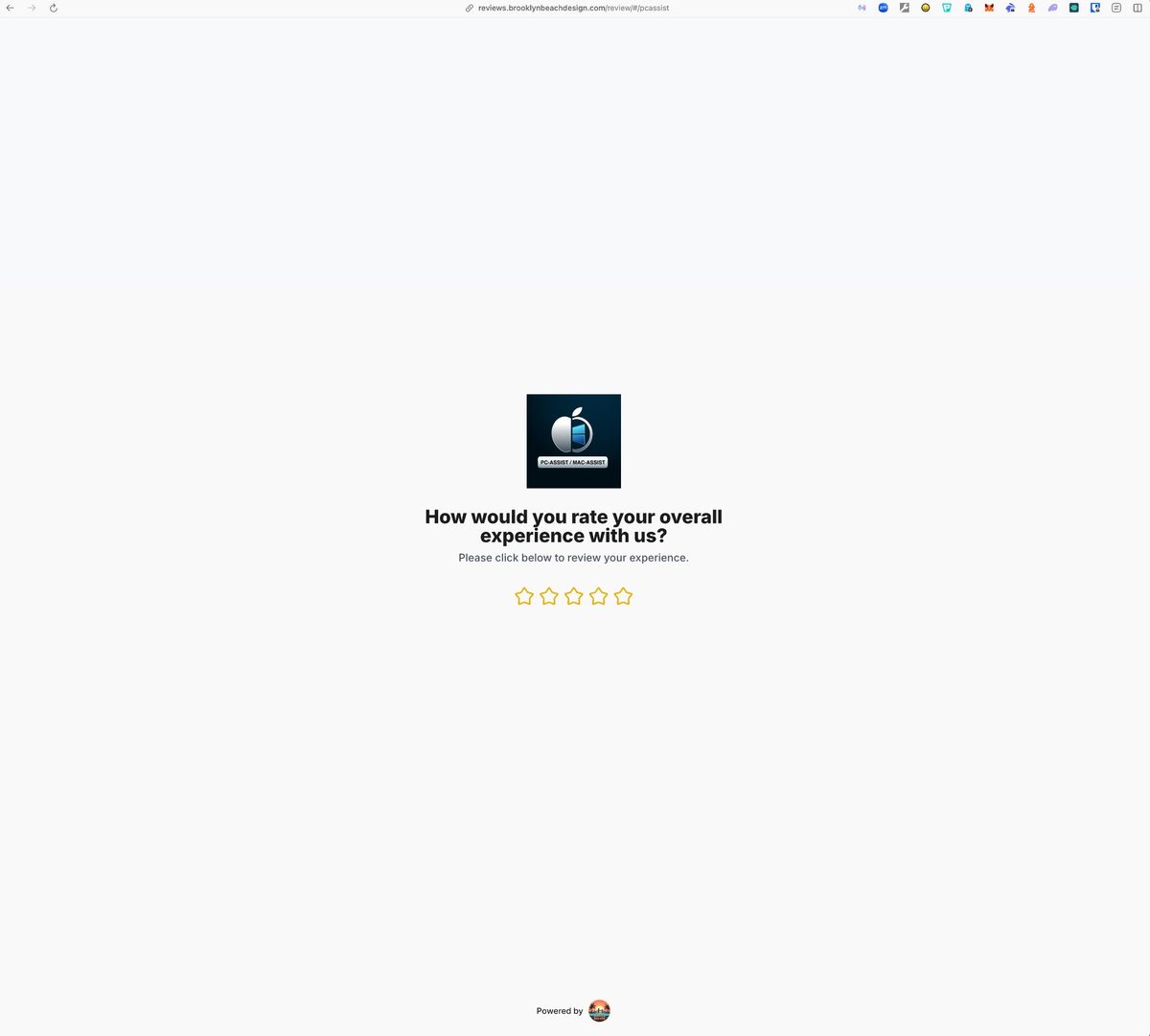
The system generates a branded review page unique to your business, with your logo, your name, and the same fair two-choice flow for every customer: share publicly or contact you directly. You get a custom URL and a downloadable QR code PNG. No tablet, no kiosk, no hardware. A laminated card on your counter does the exact same job and cannot get stolen or run out of battery.
No tablet. No kiosk. No extra hardware. A laminated card on your counter does the exact same job, and it cannot get stolen, knocked over, or run out of battery. Drop the QR code into any design tool, add your branding, print it, done. Or ask us. Brooklyn Beach Design LLC can create custom branded signage for you.
- Choose a simple feedback icon style for the branded page
- Give every customer a clear public review path and direct contact option
- QR code downloads as a PNG — use in any design or print tool
- Counter cards, table tents, printed invoices, receipts, email signatures
- Appointment reminders: include the review link in follow-up texts
- Need custom signage? We can create branded materials for you
Add email, SMS or WhatsApp request channels
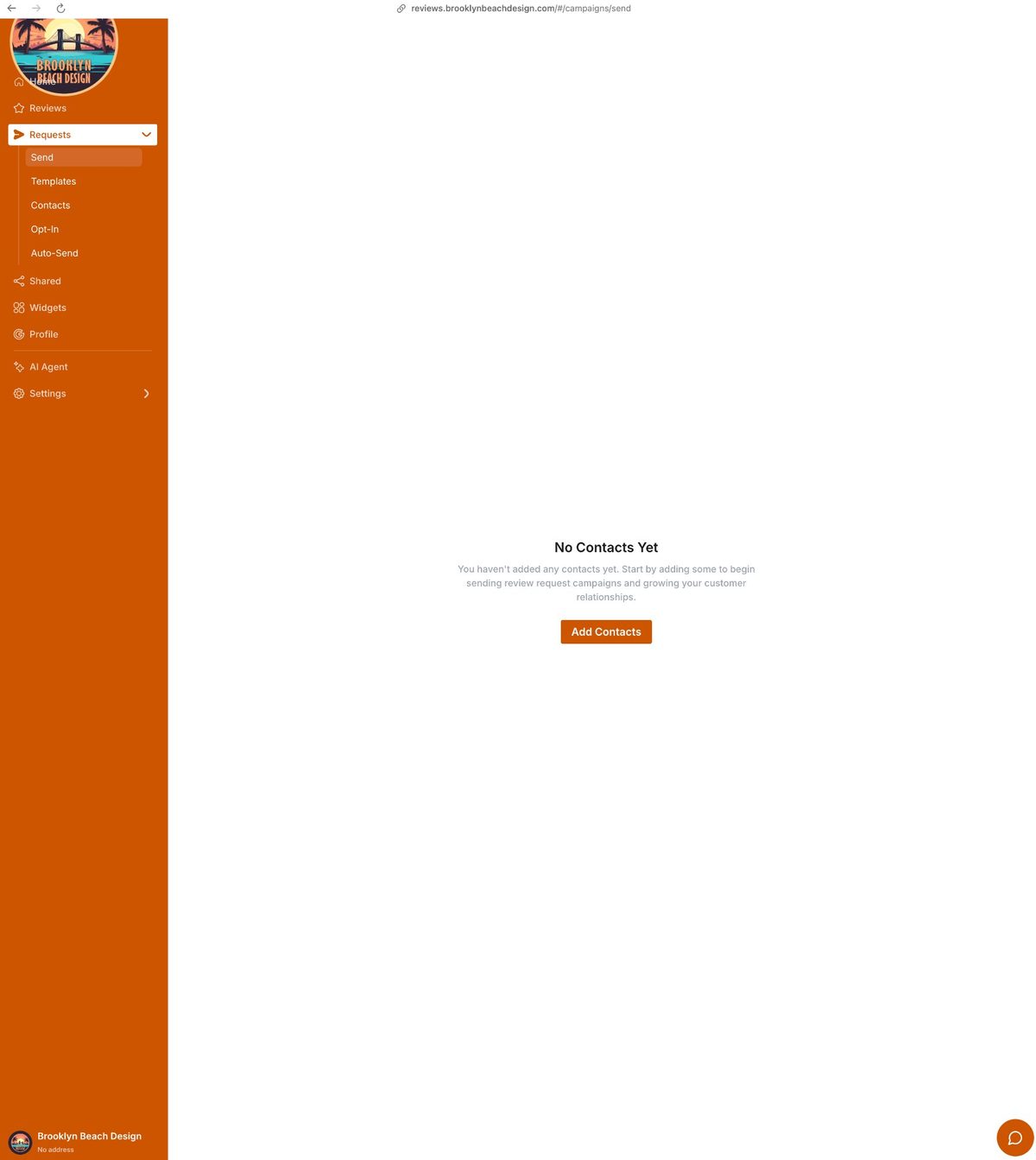
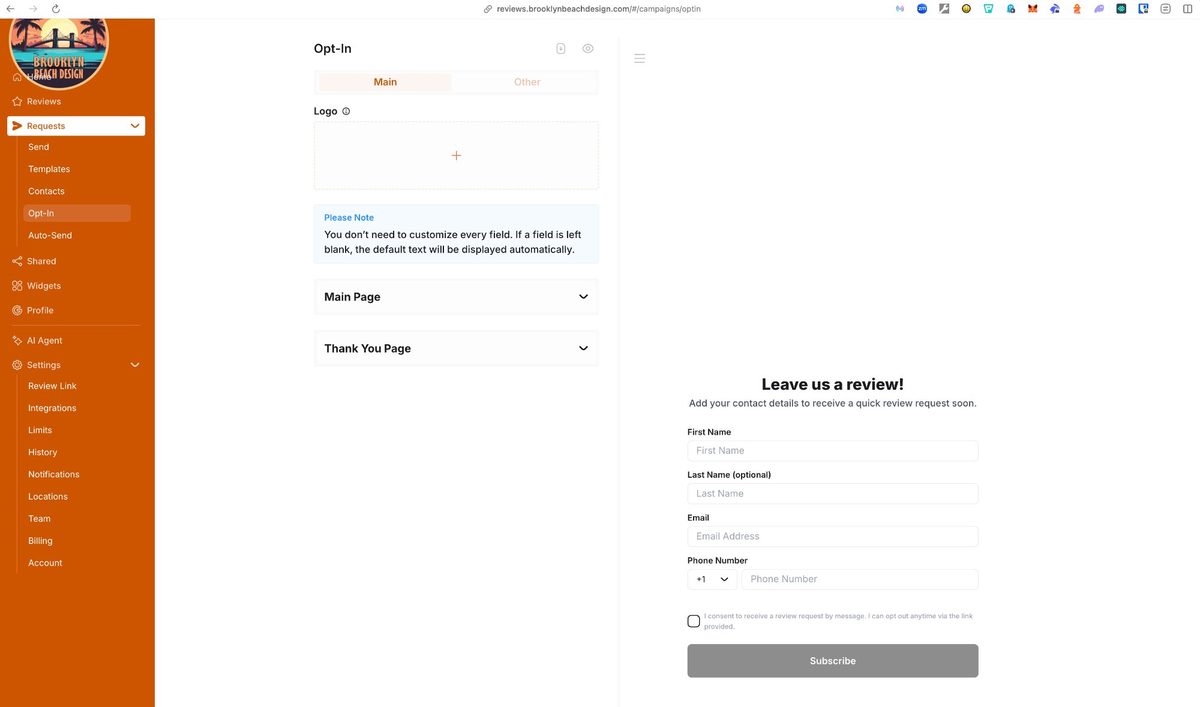
The floor plan starts with your branded link and QR code. Higher plans add customer request channels: upload contacts, create an approved message template, and send polite review requests with follow-up reminders for anyone who has opted in.
No customer contact list? No problem. The QR code and shareable link are enough to get started — you can always add request channels later.
- Email campaigns — available on higher plans
- SMS campaigns — available on higher plans
- WhatsApp — available on higher plans
- Auto-Send: configure once, the system handles follow-up
- Opt-In page: let customers sign up to receive review requests
Reviews come in — responses are handled faster
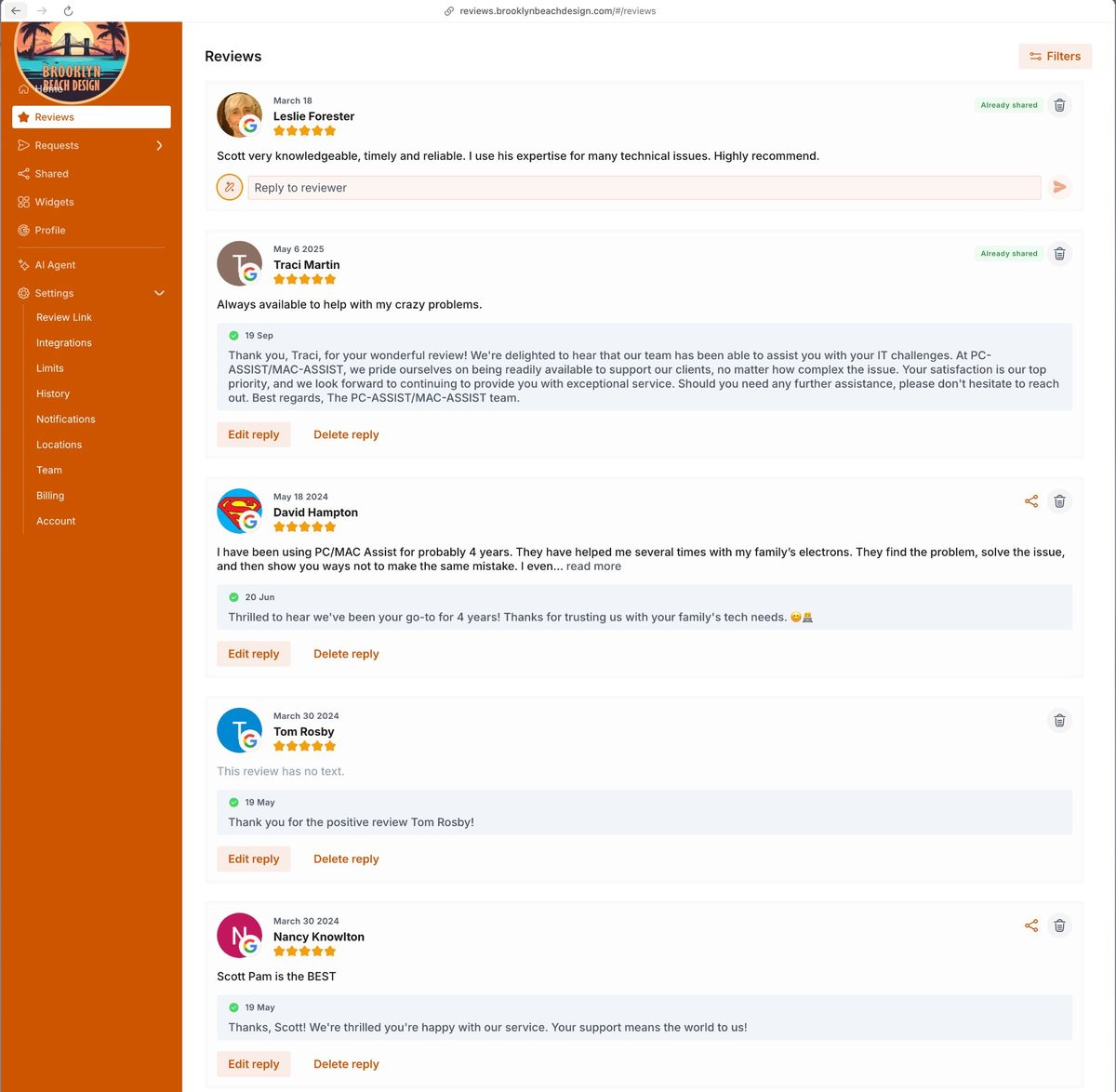
As reviews come in, they appear in your dashboard. AI auto-response is included in the Foundation plan for supported review channels, written to sound human and include your business context. For Yelp and other platforms that don't support direct API replies, the AI drafts the response and you paste it in.
- All reviews from connected platforms in one place
- Foundation: AI auto-response included for supported channels
- Growth & Amplify: more channels, more campaign controls, and more service support
- You can edit or delete any AI reply at any time
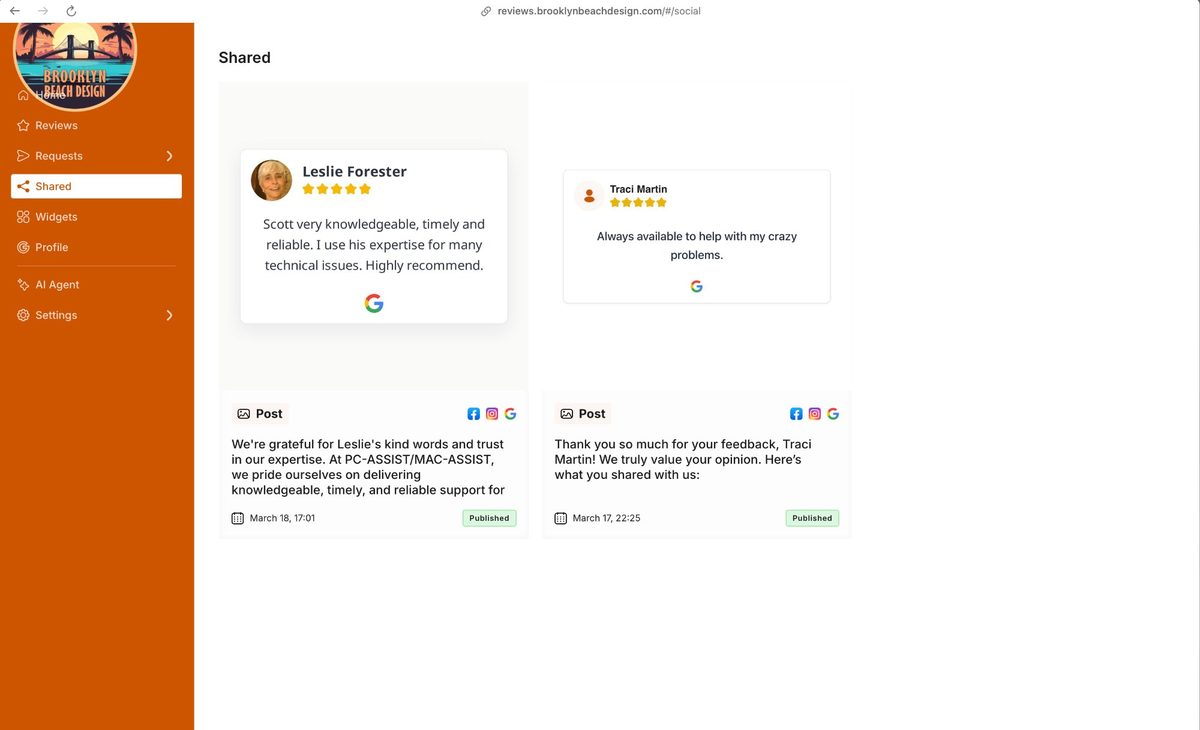
Genuine praise becomes social proof and PR
On plans with amplification support, strong public reviews can be turned into website proof, social posts, and PR-ready material. This is a done-for-you service layer, not another dashboard chore.
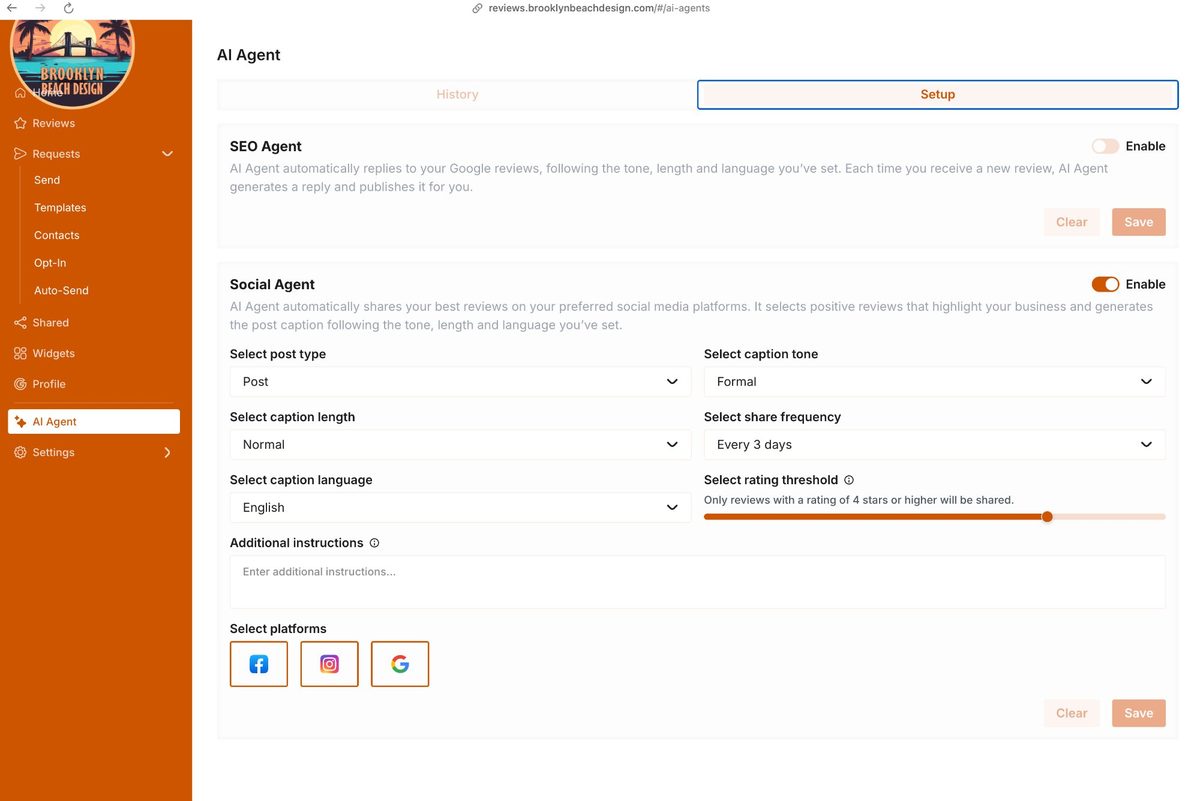
- Facebook and Instagram content prepared from real public praise
- Choose Post or Story format
- Posting cadence planned with your service package
- Only uses strong public reviews you choose to promote
- Caption tone, length, and language aligned to your brand
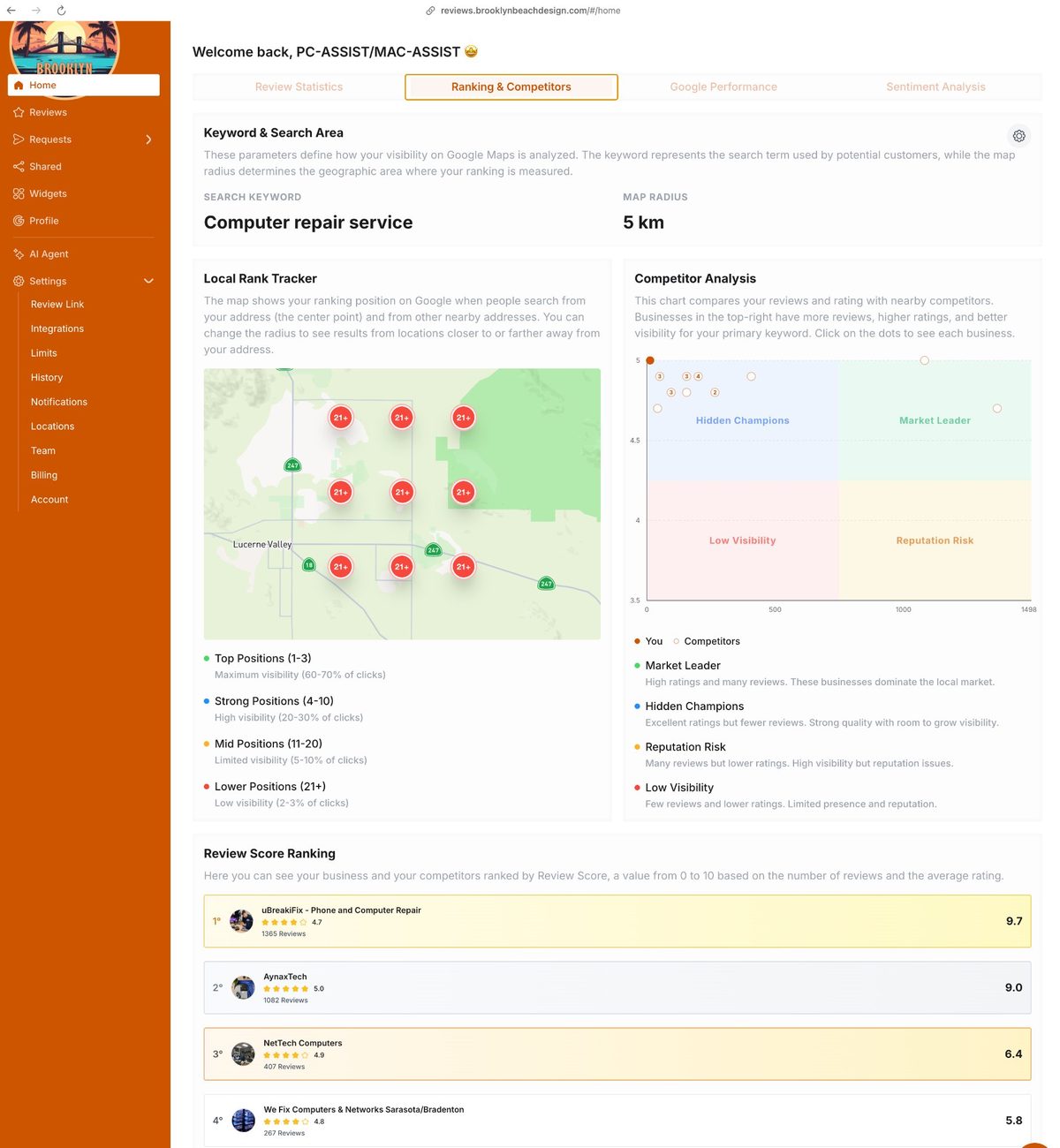
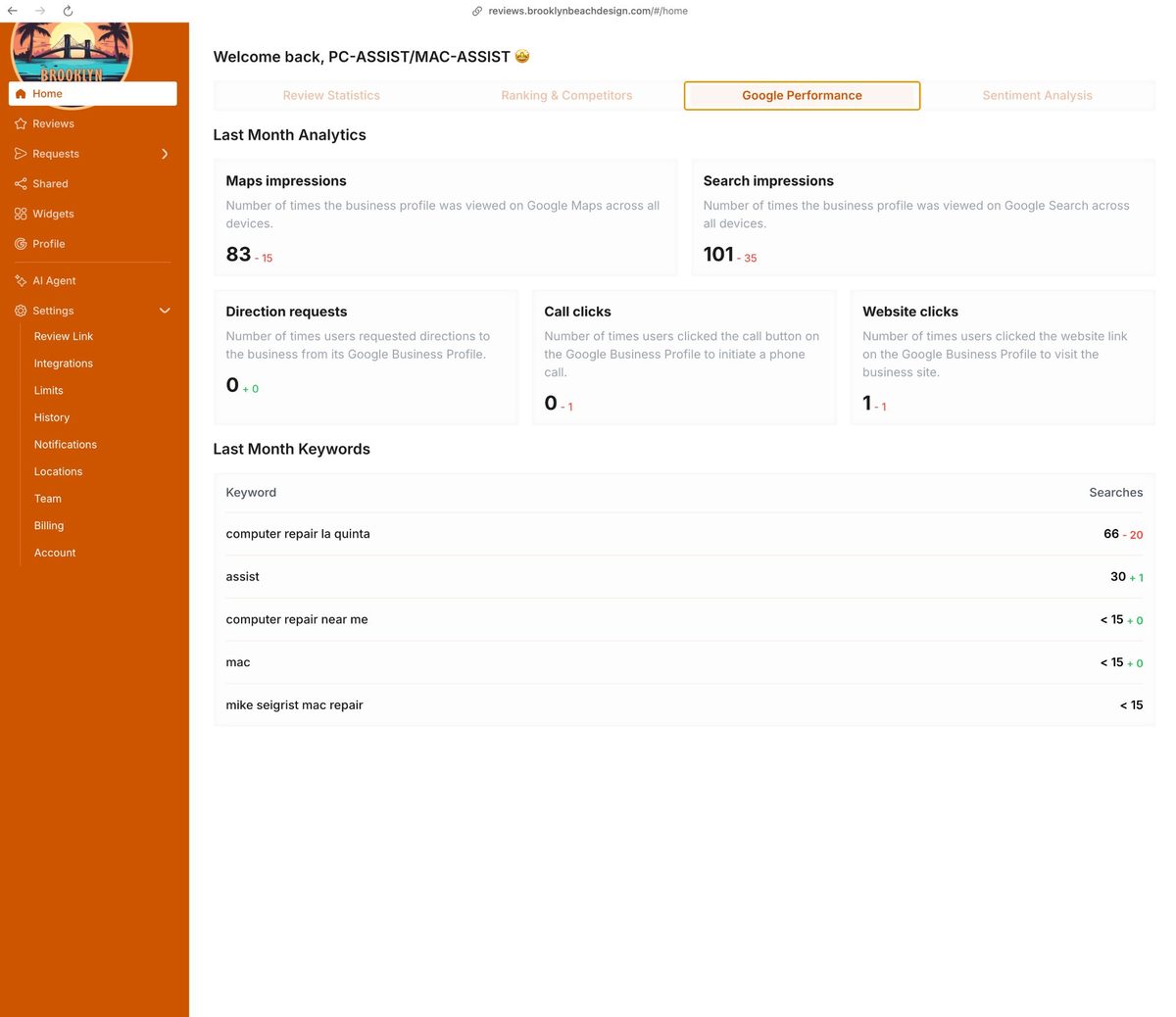
Watch your dashboard — and see exactly where you stand
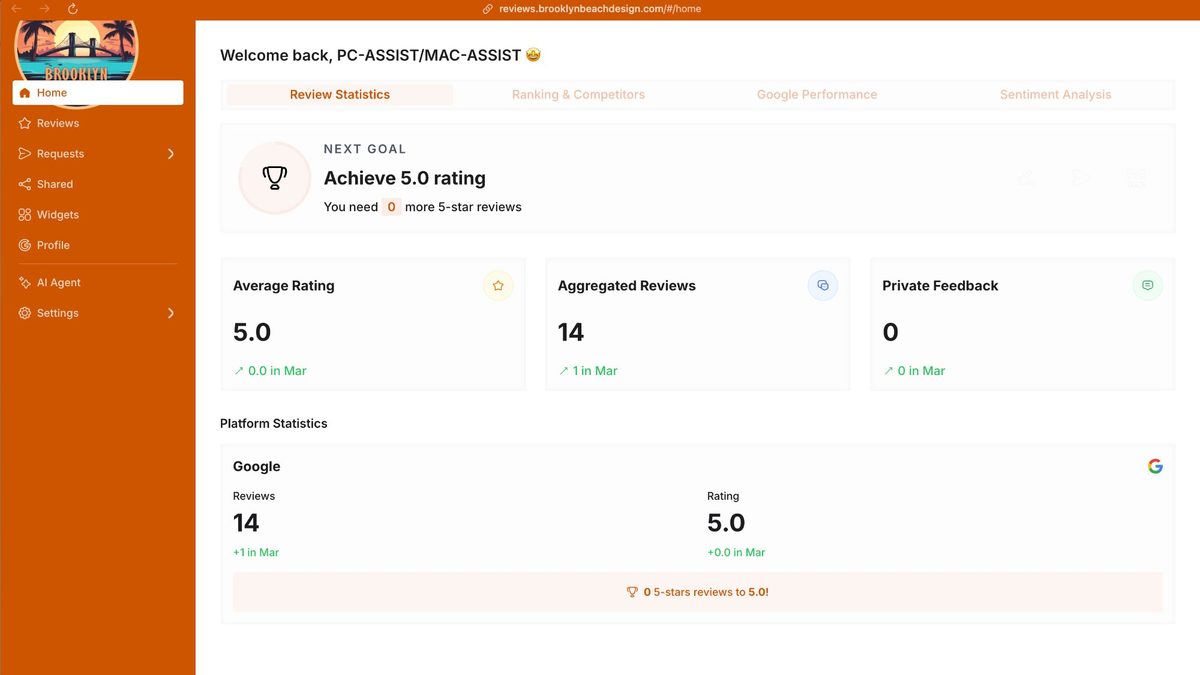
Four tabs give you the complete picture. Review Statistics shows your rating, total reviews, and private feedback at a glance. Ranking & Competitors puts your local visibility in context against nearby businesses without promising a ranking outcome. Google Performance shows how many times your profile appeared on Maps and Search, and what keywords people used to find you. AI Visibility Ranking shows where you appear when customers ask ChatGPT, Gemini, Perplexity, and Grok — plus review and keyword insights into what customers consistently mention.
- Review Statistics — average rating, total reviews, private feedback count
- Ranking & Competitors — your Google Maps position vs nearby businesses
- Google Performance — Maps impressions, Search impressions, real keyword data
- AI Visibility Ranking — your position across ChatGPT, Gemini, Perplexity & Grok
- Daily review digest + monthly performance report by email — no logging in required
Also included
A few more things worth knowing about.
Useful pieces of the operation that most people do not expect from a reputation service.
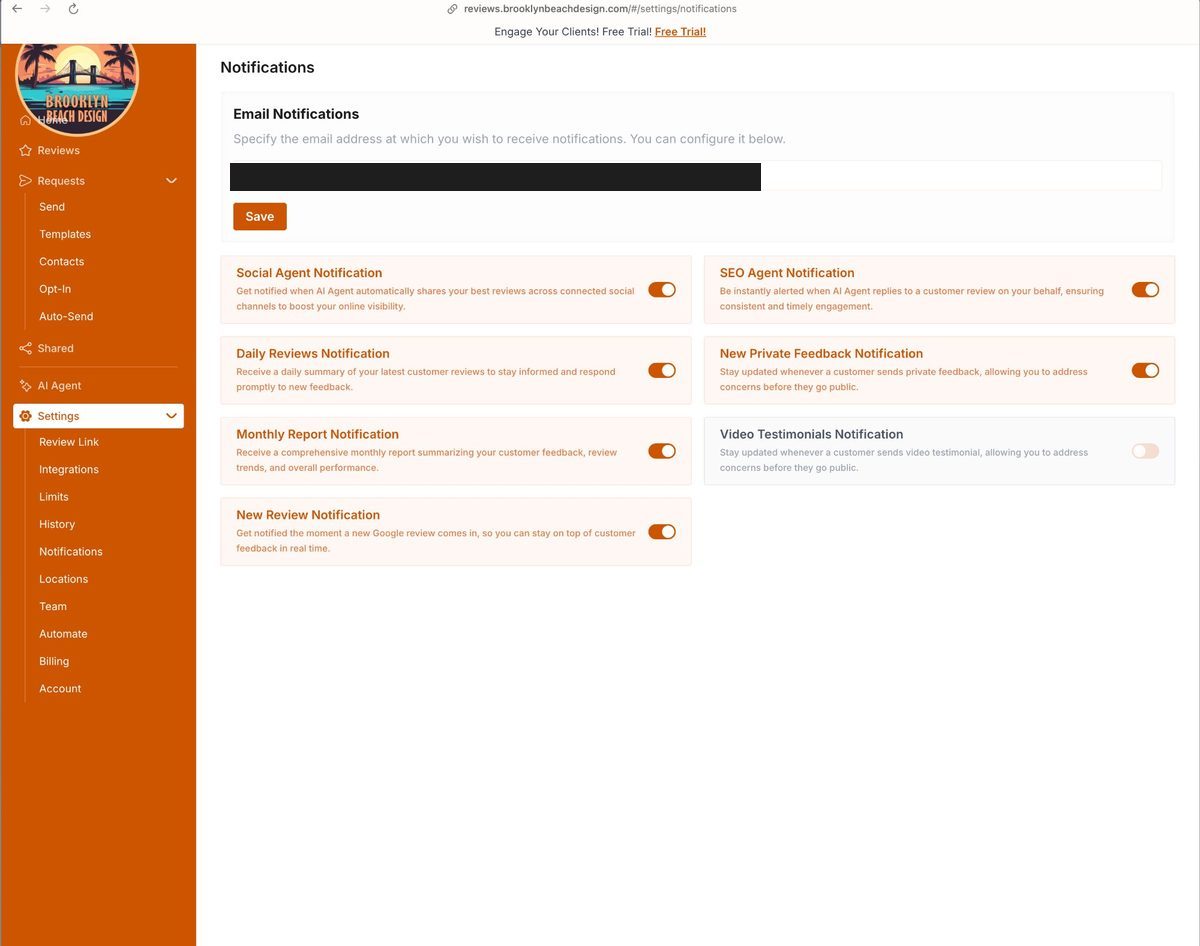
You stay informed without logging in
Get notified the moment a new review comes in. Daily review digests, monthly performance reports, AI reply confirmations, and private feedback alerts — all by email. You always know what's happening without opening the dashboard.
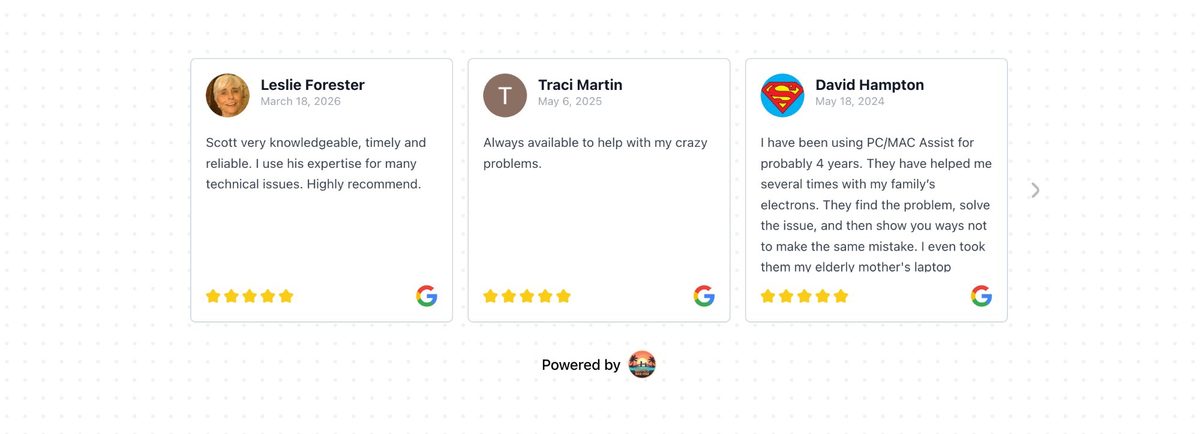
Embed your reviews on your own website
Embeddable review widgets — carousel, grid, or pop-up — can be added to any website with a single line of code. Strong public reviews display on your site and update as new ones come in. Amplify package.
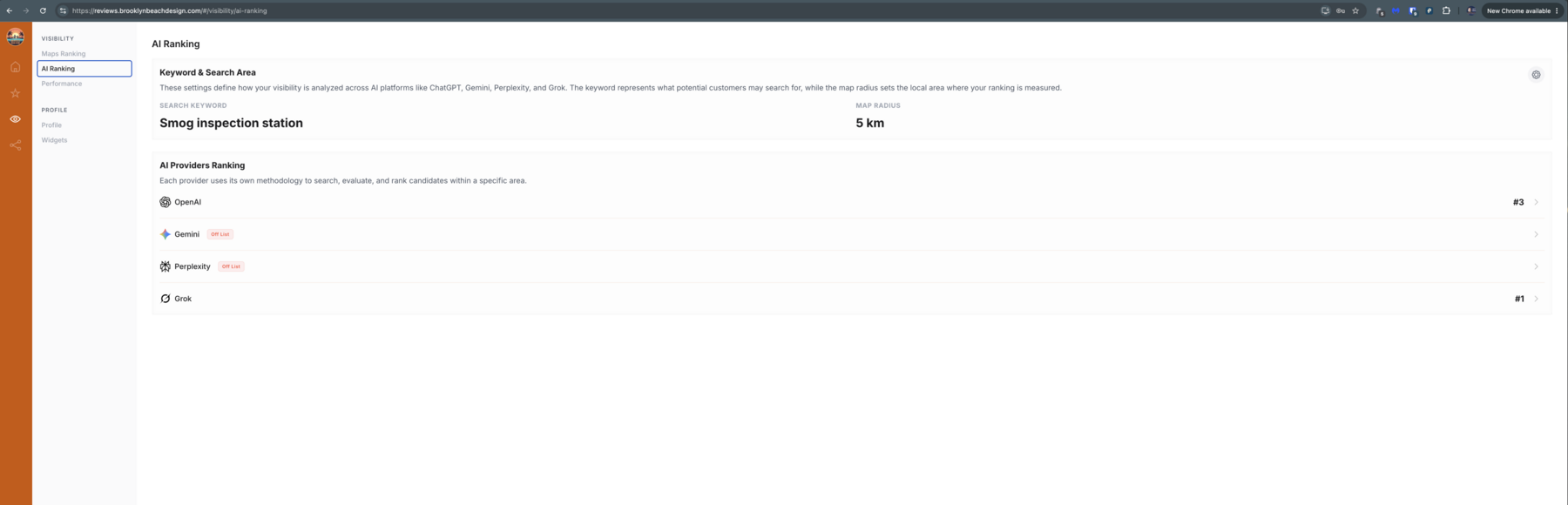
See where you rank when customers ask AI
The AI Ranking tab reports where you appear across ChatGPT, Gemini, Perplexity, and Grok for your priority keyword in your local area. It gives you a practical read on AI search visibility and where there may be room to improve.
Real results
This is what it looks like when it's working.
PC-ASSIST/MAC-ASSIST — a Coachella Valley IT service business — is running this same platform. 14 Google reviews, 5.0 average rating, with AI-assisted replies handling the heavy lifting.
Ready to get started?
Your next customer is reading reviews right now.
Make it easier for reviews to come in consistently, responses to stay on-brand, and feedback to turn into clear improvement goals.
Have questions? Call or text us directly. We're a real local business — not a chatbot.